

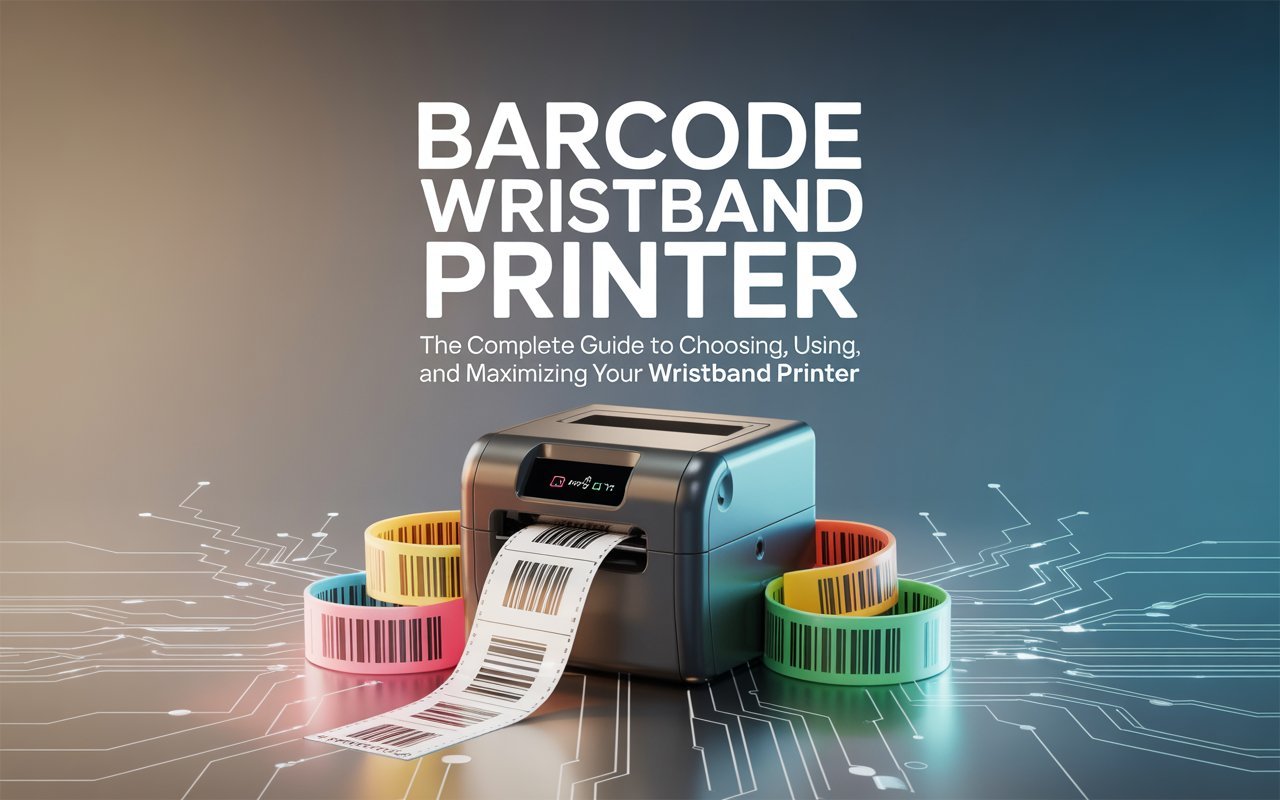
Barcode Wristband Printer: The Complete Guide to Choosing, Using, and Maximizing Your Wristband Printer
Whether it’s a hospital patient waiting for surgery, a festival-goer queuing at the gate, or a warehouse worker tracking high-value assets, one small piece of printed plastic or paper can make an enormous difference. A barcode wristband printer is exactly the tool that makes that happen — quickly, accurately, and at scale.
In today’s fast-moving world, businesses, healthcare facilities, and event organizers rely on the wristband printer more than ever. From printing a patient identification wristband at the point of admission to generating QR code wristbands for thousands of concert attendees, these devices sit at the intersection of safety, efficiency, and smart operations.
This complete guide covers everything there is to know about the barcode wristband printer — how it works, which industries depend on it, what features to look for, how top brands compare, and what the future holds. By the end, readers will have all the information they need to find the best wristband printer 2025 has to offer — and the knowledge to use it well.
1. What Is a Barcode Wristband Printer — And Why Does It Matter?
Understanding the Barcode Label Printer vs. the Wristband Printer
A barcode label printer is a broad category of device designed to print machine-readable codes on adhesive labels, tags, or specialty media. A barcode wristband printer is a more specific subcategory — one that prints those same barcodes (or QR codes) directly onto wristband media, producing an item that can be worn on a person’s wrist.
What makes the wristband printing machine unique is the media it uses. Instead of flat, rigid labels, it works with flexible wristband label rolls that wrap comfortably around a wrist while still holding a crisp, scannable barcode. The combination of durability, flexibility, and scannability is what sets these devices apart.
In today’s business world, a barcode wristband printer is no longer a niche luxury — it’s a practical necessity. When accuracy matters (patient care, access control wristband management, or supply chain tracking), human error can have serious consequences. Printing a scannable wristband eliminates ambiguity and automates verification.
Who Needs a Wristband Printer?
The short answer: more industries than most people realize. Here’s a quick look at who benefits most:
- Healthcare & hospitals — for patient identification wristband needs
- Event organizers — for festival wristband printer and access management
- Amusement parks — for guest tracking and cashless payment wristbands
- Warehouses & logistics — for asset and inventory tracking
- Retail & hospitality — for loyalty programs and access credentials
2. How a Barcode Wristband Printer Works: The Technology Behind the Print
Printing Technologies Explained — Thermal, Inkjet, and Laser
Most wristband printing machines rely on one of three core technologies: thermal printing, inkjet, or laser. In practice, thermal printing dominates the wristband market by a wide margin — and for good reason.
Laser and inkjet printers can produce excellent quality on standard paper but struggle with wristband media. The heat, pressure, and ribbon or ink requirements don’t translate well to flexible wristband rolls. Thermal printing, by contrast, is compact, fast, and engineered for exactly this kind of specialty media.
Direct Thermal vs. Thermal Transfer Wristband Printing
Within the thermal category, there are two important distinctions:
A direct thermal wristband printer applies heat directly to heat-sensitive media. No ribbon is needed — the media itself reacts to heat to produce the image. This makes direct thermal wristband printers simpler to maintain, lower in consumable costs, and faster to load. The tradeoff is that direct thermal prints can fade over time, especially when exposed to heat or UV light.
Thermal transfer wristband printing, on the other hand, uses a ribbon coated with wax or resin. Heat from the printhead melts the ribbon onto the wristband media, producing a more durable, longer-lasting image. Thermal transfer wristbands are preferred in environments where the wristband needs to last days, weeks, or even longer.
For short-duration events and hospital use (where wristbands are worn for hours to a few days), direct thermal is usually the better choice. For amusement parks, access control, or multi-day festivals, thermal transfer often wins.
How Barcodes Are Generated and Encoded
Behind every printed wristband is a barcode that encodes information in a machine-readable format. Common formats include QR code wristband designs, Code 128, EAN, UPC, and Data Matrix. The choice of barcode format depends on the amount of data being stored and the scanning environment.
ZPL language wristband programming is widely used across enterprise-grade printers, particularly in healthcare and logistics. ZPL (Zebra Programming Language) allows IT teams and developers to define label layouts, barcode types, font sizes, and data sources programmatically — offering powerful control over every print job.
3. Types of Barcode Wristband Printers
Desktop Label Printers
Desktop wristband printers are the workhorses of clinics, small event venues, and office environments. They sit on a desk or counter, connect easily to a PC or network, and produce high-quality wristbands on demand. Most desktop models support both direct thermal and thermal transfer printing, and many are compatible with wristband label rolls in standard sizes.
Industrial Label Printers
Industrial barcode label printers are built for high-volume, high-demand environments. They feature heavy-duty metal frames, high-capacity media rolls, and print speeds that can handle thousands of wristbands per shift without skipping a beat. If a facility prints hundreds or thousands of wristbands per day, an industrial model is worth the investment.
Mobile and Portable Wristband Printers
A portable wristband printer brings the print job directly to the person, rather than requiring staff to walk back and forth to a fixed station. Bluetooth wristband printer models connect wirelessly to tablets or smartphones, making them ideal for field admissions, bedside registration, or roaming event staff. These battery-powered devices are compact enough to hang from a belt or sit in a cart.
RFID-Enabled Label Printers
RFID patient wristband technology is changing how hospitals and venues manage identification. An RFID-enabled wristband printer encodes both a printed barcode and an embedded RFID chip in a single pass. This dual-layer approach means wristbands can be scanned optically or read wirelessly — adding speed and redundancy to the identification process.
Color Label Printers
While most wristbands are monochrome, color label printers open up possibilities for branding, risk coding, and visual differentiation. In hospital settings, colored wristbands often indicate allergy alerts, fall risk, or do-not-resuscitate status. Color printing also enhances the visual appeal of event wristbands.
4. Key Features to Look For in a Wristband Printer
Print Resolution: 203 DPI vs. 300 DPI Printer
Resolution matters for barcode readability. A 203 DPI printer is the industry standard for most wristband applications — it produces crisp, scannable barcodes and legible text at a lower cost. A 300 DPI printer delivers finer detail, making it the right choice when wristbands include small text, photo IDs, or intricate graphics.
For patient identification wristbands where small fonts are used to pack in medical data, a 300 DPI printer is highly recommended.
Print Speed
Speed matters most in high-volume environments. Industrial wristband printers can reach speeds of 10–14 inches per second (ips), while desktop models typically fall in the 4–6 ips range. For a busy emergency department or a large festival gate, every second counts.
Connectivity Options
Modern wristband printers offer multiple connectivity paths. USB is the standard option for simple desk setups. Ethernet allows network printing across departments or locations. Wi-Fi enables flexible placement without running cables. A Bluetooth wristband printer is ideal for mobile use — connecting wirelessly to a smartphone, tablet, or mobile workstation.
Media Handling and Waterproof Wristband Printing
Not all wristbands are created equal. A good wristband printer should handle varying widths of wristband label rolls without constant reconfiguration. Waterproof wristband printing capability is critical for outdoor events, water parks, and healthcare environments where wristbands may be exposed to moisture, sweat, or cleaning agents.
Tyvek wristband compatible printers are especially popular in the event industry. Tyvek is a lightweight, tear-resistant, water-resistant material that holds printed barcodes well and is comfortable for all-day wear.
Software Compatibility
Label design software is the bridge between data and the printed wristband. The best barcode label printers work with a range of software — from manufacturer-provided tools like ZebraDesigner to third-party platforms like NiceLabel, Bartender, and even browser-based systems. Integration with ERP, EMR, and event management platforms is a key factor for large organizations.
5. Top Use Cases and Industries for the Barcode Wristband Printer
Healthcare: Patient Wristband Printer and Hospital Wristband Printer Applications
Healthcare is arguably the most critical use case for any patient wristband printer. A hospital wristband printer sits at the heart of patient safety — producing the patient identification wristband that tells nurses, doctors, and technicians exactly who they’re treating, what medications they’re on, and what precautions are in place.
In large hospital networks, a hospital wristband printer is often deployed at every admission desk, emergency bay, and maternity ward. Modern systems integrate directly with the hospital’s EMR (Electronic Medical Records) system, pulling patient data and printing a barcode wristband in seconds. RFID patient wristband solutions are increasingly being adopted at the cutting edge of this space.
The consequences of a wristband error in healthcare can be severe — wrong medication, wrong procedure, wrong patient. This is why many facilities specify minimum print quality, durability, and material standards for their patient wristband printer deployments.
Events: Festival Wristband Printer and Event Wristband Printer Solutions
The events industry has embraced the event wristband printer as an essential operational tool. From intimate corporate gatherings to massive music festivals, printed wristbands serve as entry passes, access control wristbands, cashless payment tokens, and brand ambassadors all in one.
A festival wristband printer needs to handle high throughput, produce waterproof wristbands, and integrate with ticketing software. Tyvek wristband compatible systems are especially valued here because Tyvek is durable enough to last a multi-day festival without tearing or fading.
For a large amusement park wristband printer setup, the requirements are even more demanding. Wristbands may need to survive water rides, heat, and constant scanning throughout the day. QR code wristband designs are particularly useful for enabling fast, contactless scanning at ride entry points.
Retail and Point-of-Sale
Retail environments use barcode label printers for shelf labels, price tags, and inventory tracking — but specialty retail and hospitality settings also use wristband printers for VIP access, loyalty programs, and spa or resort guest management.
Warehousing and Logistics
In warehousing, barcode label printers are deployed for pallet labeling, bin tags, and asset tracking. While wristbands are less common in this environment, some facilities use them for temporary worker identification or visitor management. The same rugged industrial barcode label printers used for warehouse labels often support wristband media as well.
Food, Beverage, and Manufacturing
Food producers rely on barcode label printers for expiry date labels, traceability codes, and allergen information. In manufacturing, asset tracking labels and work-order barcodes are printed at scale. In these environments, the barcode label printer must handle demanding output volumes and harsh physical conditions.
6. Best Barcode Wristband Printer Brands in 2026: A Comparison
Choosing a wristband printer means choosing a brand ecosystem — because the printer, wristband supplies, software, and support all tend to work best together. Here are the leading names in the market:
Zebra Wristband Printer
No brand is more synonymous with the healthcare wristband market than Zebra Technologies. A Zebra wristband printer — particularly the ZD series and HC-series models — is found in hospitals and clinics worldwide. Zebra’s ZPL language wristband programming is an industry standard, and its wristband-specific media is engineered for patient care environments. From a compact desktop unit to a high-throughput industrial model, Zebra covers the full spectrum.
Bixolon Wristband Printer
Bixolon has carved out a strong reputation in the event and hospitality sector. A Bixolon wristband printer offers sleek design, reliable performance, and strong connectivity options including Bluetooth and Wi-Fi. Models like the SLP series are popular with event organizers seeking a balance of affordability and professional output quality.
TSC Wristband Printer
TSC is well regarded for its industrial-grade durability and competitive pricing. A TSC wristband printer is a practical choice for organizations running high-volume operations — manufacturing, warehousing, and large-scale events — where total cost of ownership is a key decision factor.
Brother
Brother’s label printing range, including the QL and TD series, is a popular choice for small businesses and offices. While not as specialized for wristband use as Zebra, Brother printers offer solid all-around performance and wide software compatibility.
Honeywell
Honeywell produces rugged, enterprise-grade barcode label printers designed for demanding industrial environments. Honeywell’s wristband-capable models are widely used in logistics, healthcare, and manufacturing settings.
Here’s a quick comparison of leading brands:
| Brand | Best For | Key Strength | Connectivity |
| Zebra | Healthcare / Enterprise | ZPL, vast wristband media range | USB, Ethernet, Wi-Fi, BT |
| Bixolon | Events / Hospitality | Sleek design, fast setup | USB, Wi-Fi, Bluetooth |
| TSC | Industrial / High-Volume | Durability, cost efficiency | USB, Ethernet |
| Brother | Small Business / Office | Wide software compatibility | USB, Wi-Fi |
| Honeywell | Logistics / Manufacturing | Rugged build, enterprise-grade | USB, Ethernet, Wi-Fi |
7. How to Choose the Right Wristband Printer for Your Needs
Volume of Printing: Low vs. High
The single biggest factor in choosing a wristband printer is print volume. A wristband printer for small business or a low-traffic clinic may only print a few dozen wristbands per day — a desktop model is more than adequate. A large hospital, a music festival, or an amusement park may need to print thousands per day, requiring an industrial unit with a high-capacity roll and fast print speed.
Budget Considerations
Entry-level desktop wristband printers can be found for a few hundred dollars. Mid-range models with better connectivity and media flexibility fall in the $500–$1,500 range. Industrial and specialty models — including those with RFID patient wristband capability — can run several thousand dollars. Total cost of ownership, however, should factor in the ongoing cost of wristband label rolls and ribbons, not just the upfront price.
Label Material and Size Requirements
Wristband media comes in several materials — Tyvek, vinyl, polypropylene, and thermal paper — each suited to different environments. Tyvek wristband compatible printers are essential for event use. Vinyl and polypropylene are preferred for waterproof wristband printing in aquatic or outdoor environments. Wristband widths typically range from 1 inch to 1.5 inches, though specialty formats exist for pediatric patients and others.
Integration with Existing Systems
For healthcare organizations, the patient wristband printer needs to connect seamlessly with the EMR system. For events, the event wristband printer should integrate with ticketing and access control platforms. ZPL language wristband compatibility is a key requirement for enterprise environments, while simpler setups may work fine with driver-based printing through Windows or Mac.
8. Setup and Maintenance Tips for the Barcode Wristband Printer
Installing Drivers and Label Design Software
Setting up a new barcode wristband printer starts with downloading and installing the manufacturer’s drivers and, ideally, a label design application. Most leading brands provide free software — ZebraDesigner (Zebra), P-touch Editor (Brother), and similar tools. These applications allow users to design wristband templates, link data sources, and manage print queues.
Loading Wristband Label Rolls Correctly
Incorrect media loading is one of the most common causes of print quality issues. Wristband label rolls should be loaded with the print surface facing the correct direction for the printer’s thermal mechanism. Direct thermal printers require the heat-sensitive side to face the printhead; thermal transfer printers need the ribbon to be aligned with both the media and printhead simultaneously.
Cleaning and Maintaining Print Heads
The printhead is the most sensitive — and most expensive — component of any wristband printing machine. Regular cleaning using manufacturer-approved cleaning cards or isopropyl alcohol swabs prevents adhesive residue and debris from building up. Most manufacturers recommend cleaning the printhead every time a roll of media is changed, or at set print mileage intervals.
Troubleshooting Common Issues
Faded barcodes? Check the darkness setting and clean the printhead. Wristbands jamming mid-print? Verify the media is loaded correctly and the guides are properly adjusted for the wristband width. Connectivity dropping? Ensure drivers are updated and, for Bluetooth wristband printer models, check for interference from other devices.
9. Barcode Label Design Best Practices for Wristbands
Choosing the Right Barcode Format
The choice of barcode format depends on how much data needs to be encoded and how it will be scanned. For simple numeric IDs, Code 128 or Code 39 works perfectly. For patient identification wristbands that must store medical record numbers, admission dates, and allergies, a QR code wristband design offers far greater data density in a small footprint.
Font and Spacing Guidelines
Wristbands have limited real estate. Text should be legible but compact — typically 8–10 point fonts for supporting information and larger bold text for the most critical field (like a patient’s name). Always leave quiet zones (blank margins) around barcodes to ensure reliable scanning.
Testing Scannability
Before deploying a new wristband template, always test it with the actual scanners that will be used in the field. A barcode that looks crisp to the eye may still fail to scan reliably if the quiet zone is too narrow, the contrast is insufficient, or the barcode symbology is unsupported by the scanner.
Compliance with Industry Standards
Healthcare wristbands must meet standards such as ASTM and HIBCC (Health Industry Business Communications Council) specifications. Events may need to comply with specific ticketing or access control standards. Using a barcode label printer that supports verified barcode standards and produces consistent 203 DPI or 300 DPI print quality is essential for compliance.
10. Cost Breakdown: What Does a Wristband Printer Really Cost?
Upfront Printer Cost
Entry-level barcode wristband printers begin around $150–$400 for basic desktop models. Mid-range models with better resolution, connectivity, and durability run $500–$1,500. Industrial barcode label printers and RFID-enabled models can reach $2,000–$5,000 or more.
Wristband Label Rolls and Ribbon Costs
Consumables are the ongoing cost that many buyers underestimate. Wristband label rolls are sold per-case (often 200–500 wristbands per roll, 6–12 rolls per case). Costs vary by material — Tyvek wristband compatible rolls are generally affordable, while vinyl and RFID-embedded wristbands cost significantly more. Thermal transfer ribbons add another recurring expense, typically $5–$25 per roll depending on length and type.
Software Licensing
Basic label design software is free with most wristband printers. Enterprise-grade platforms like Bartender or NiceLabel may require annual licensing fees of $500–$2,000 or more. EMR and event ticketing integrations may involve additional development or integration costs.
Total Cost of Ownership (TCO)
When calculating the total cost of ownership for a wristband printer, factor in: the upfront hardware cost, annual consumable spend (wristband label rolls and ribbons), software licensing, printhead replacement (typically every few years with moderate use), and support or warranty costs. Facilities that print in high volume should focus on the per-wristband cost rather than the upfront price alone.
11. Future Trends in Barcode Wristband Printing
Cloud-Based Wristband Label Printing
Cloud-connected wristband printers allow organizations to manage templates, print jobs, and device health from a central dashboard — even across multiple locations. For healthcare networks and event companies operating across sites, cloud-based barcode label printing dramatically simplifies administration and ensures brand and compliance consistency.
RFID Integration in Patient and Event Wristbands
RFID patient wristband adoption is accelerating, driven by the need for faster, touchless patient verification. In events, RFID wristbands are enabling cashless payments, loyalty integration, and real-time attendance data. As RFID tags become cheaper and barcode wristband printers add native RFID encoding, this technology is moving from premium to mainstream.
AI-Driven Label Automation
Artificial intelligence is beginning to enter the wristband printing machine space through smarter software — tools that auto-detect errors in barcode data before printing, optimize label designs for scannability, and learn from scan failure rates to suggest template improvements. This kind of intelligent automation reduces wasted wristband label rolls and improves first-pass scan rates.
Sustainability and Eco-Friendly Wristband Materials
Environmental considerations are driving interest in recyclable, biodegradable, and FSC-certified wristband materials. Several manufacturers now offer compatible wristband supplies made from sustainable materials — without sacrificing the print quality or durability that hospitals and event organizers depend on. Linerless wristband designs, which eliminate the silicone backing paper entirely, are also gaining traction as a waste-reduction measure.
Conclusion: Finding the Best Barcode Wristband Printer for Your Business
A barcode wristband printer is more than a piece of office equipment — it’s a system that supports safety, efficiency, and accountability across some of the most demanding environments in modern operations. Whether the goal is printing a patient wristband for a hospital, managing crowd access with an event wristband printer, or identifying guests at an amusement park, the right wristband printer delivers real-world results.
Here’s what to keep in mind when making a decision:
- Match the print technology — direct thermal wristband printer for short-duration use, thermal transfer for longer wear
- Choose the right resolution — 203 DPI printer for most applications, 300 DPI printer for fine detail and small text
- Think about connectivity — a Bluetooth wristband printer for mobile use, Ethernet for networked environments
- Factor in compatible wristband supplies — Tyvek wristband compatible media for events, waterproof wristband printing materials for aquatic and outdoor settings
- Evaluate total cost of ownership, not just the upfront price
The wristband printer market continues to evolve rapidly, with RFID, cloud connectivity, and AI-powered automation pushing the technology forward. Businesses and organizations that invest in the right platform today will be well positioned to take advantage of those advances as they mature.
Ready to find the perfect barcode wristband printer for your needs? Explore our detailed product comparisons, industry-specific buying guides, and compatible wristband supplies reviews to make an informed decision with confidence.