

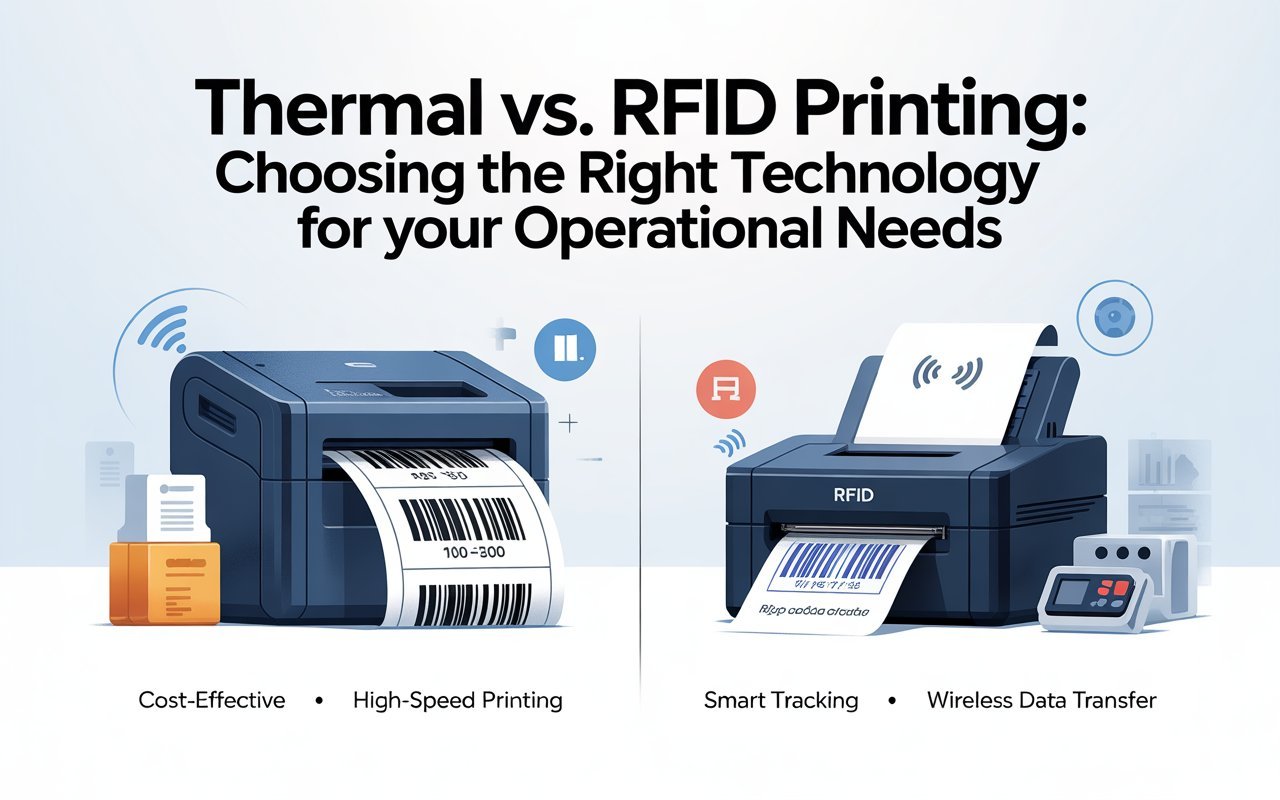
Thermal vs. RFID Printers: Choosing the Right Technology for Your Operational Needs
The Industry Problem: Why Printer Choice Shapes Entire Operations
Walk into any major music festival, hospital ward, resort pool area, or large warehouse, and you will find wristbands. They are everywhere — wrapped around wrists of patients, festival-goers, resort guests, and day laborers alike. But behind every wristband is a printing decision that either enables smooth operations or creates bottleneck headaches that cost real money.
Operations managers, event coordinators, and healthcare administrators frequently face the same crossroads: should they invest in a direct thermal wristband printer for fast, low-cost output, or deploy an RFID wristband printer that embeds smart chips for data-rich access and tracking?
The challenge is that most buying guides either oversimplify the choice into a price question or bury readers in technical jargon. Neither approach helps a hotel operations director or a festival production manager make a confident, ROI-backed decision. This guide uses the PPR method — Prominence, Popularity, and Relevance — to focus on the attributes that matter most in each real-world context.
“The wrong wristband printer does not just create a slow check-in line. It undermines security, inflates per-event costs, and forces manual workarounds that erode staff confidence in your systems.”
Four Core Operational Problems Driving This Decision
- Speed Problem: High-volume events need sub-3-second print times. The wrong printer creates entry bottlenecks affecting attendee experience and revenue.
- Security Problem: Visual-only wristbands can be counterfeited. RFID chips provide cryptographic validation impossible to replicate without proper equipment.
- Cost Problem: RFID wristbands cost significantly more per unit than thermal. Without clear ROI modeling, the investment decision becomes guesswork.
- Data Problem: Thermal wristbands show a barcode. RFID wristbands carry operational data, customer profiles, and transaction histories — silently.
What Is a Direct Thermal Wristband Printer?
A direct thermal wristband printer is a specialized printing device that uses heat-sensitive media to produce text, barcodes, QR codes, and simple graphics — without requiring ink cartridges, ribbons, or toner. The print head applies targeted heat directly onto thermally coated wristband material, causing the coating to darken at precise points.
This mechanism makes direct thermal the dominant technology for on-demand wristband printing in healthcare, hospitality, and event management environments where speed, simplicity, and low consumable costs are the primary operational drivers.
How Direct Thermal Printing Works — Step by Step
- Thermal Coating Activation: Heat-sensitive wristband media is loaded into the printer. The substrate contains a chemical layer that reacts to controlled heat exposure by turning dark at precise locations.
- Print Head Contact: The thermal print head — a row of microscopic heating elements — moves across the media. Each element activates independently to produce dots that form characters, barcodes, and images at resolutions typically between 203 and 300 DPI.
- Output & Application: The finished wristband emerges in under three seconds. Self-adhesive closures or locking clips secure it to the wearer’s wrist, where it remains readable by handheld scanners or fixed gate readers.
Key Technical Specifications to Understand
- Print Resolution: 203 DPI (standard) to 300 DPI (healthcare-grade). Higher DPI yields cleaner barcodes and finer text for reliable scanning performance.
- Print Speed: Typically 4–8 inches per second in mid-range models, scaling up in high-throughput enterprise units designed for event check-in queues.
- Media Width Compatibility: Most hospital-grade thermal wristband printers accept 1-inch media. Event models often handle wider widths for larger information panels.
- Connectivity: USB, Ethernet, Bluetooth, and Wi-Fi depending on model tier. Enterprise models support ZPL, EPL, and IPL command languages for deep system integration.
- Duty Cycle: The volume of wristbands a printer can handle per day before requiring rest or service — a critical specification for high-volume event deployments.
Note for Buyers: When you buy a thermal wristband printer, always verify media compatibility. Not all thermal printers accept wristband-specific media rolls — some are designed exclusively for flat labels and will jam or deliver poor print quality on wristband substrates. Always request a media compatibility guide from the manufacturer or reseller before purchasing.
What Is RFID Wristband Printing?
RFID wristband printing combines physical wristband production with electronic data encoding. An RFID wristband printer simultaneously prints visual information on the surface of the wristband and writes data to a passive RFID chip embedded within the wristband material itself.
The result is a wristband that functions on two levels: it is visually readable by humans and barcode scanners, and it is electronically readable by RFID readers that do not require line-of-sight contact. This dual capability makes RFID wristbands fundamentally different in operational behavior from their thermal-only counterparts.
RFID Frequency Standards for Wristband Applications
- HF (High Frequency) — 13.56 MHz: The dominant standard for wristbands. Read range: 1–10 cm. Uses NFC-compatible protocols (ISO 14443, MIFARE). Ideal for payment, access, and loyalty applications. Supports read/write operations.
- UHF (Ultra High Frequency) — 860–960 MHz: Read range: up to 10 meters. Used in warehouse logistics, large-venue crowd management, and supply chain tracking. Can read multiple tags simultaneously through anti-collision protocols. Higher per-unit cost.
Most event, hospitality, and healthcare RFID wristband applications use HF/NFC chips. The chip stores a unique identifier (UID) plus programmable memory — typically 1–8 KB — that can hold guest profiles, cashless payment balances, access tier data, and more.
How an RFID Wristband Printer Encodes Data
- Media Feeding: Pre-inlaid RFID wristband stock — wristbands with chips already embedded at the factory — feeds into the printer. The chip position is precisely calibrated relative to the print head and encoding antenna.
- Simultaneous Print & Encode: As the wristband moves through the printer, the thermal print head applies visual data while the internal RFID encoder writes electronic data to the chip in the same pass. Both operations complete in a single media movement.
- Verification: The printer’s internal reader automatically verifies successful encoding. Failed encodes trigger a void mark on the wristband and advance to the next unit — ensuring no blank chips enter circulation.
- Output: The finished wristband carries printed visuals (guest name, barcode, logo) and a live, encoded RFID chip ready to communicate with access gates, POS terminals, and tracking systems.
Core Attributes & Feature Comparison
The table below maps both technologies against the operational attributes that matter most in real deployment scenarios. Use this as a decision framework, not just a specification sheet.
| Attribute | Direct Thermal Printer | RFID Wristband Printer | Advantage |
| Media Cost per Unit | Very Low | Moderate to High | Thermal |
| Hardware Investment | Entry-level accessible | Mid to enterprise tier | Thermal |
| Print Speed | Fast (4–12 IPS) | Moderate (2–6 IPS with encode) | Thermal |
| Data Capacity | Visual only (barcode/QR) | Up to 8 KB rewritable memory | RFID |
| Line-of-Sight Required | Yes (barcode scanning) | No (contactless read) | RFID |
| Counterfeit Resistance | Moderate | High (cryptographic UID) | RFID |
| Cashless Payment Support | Not supported | Fully supported | RFID |
| Rewrite / Update Data | Not possible (print-once) | Yes (MIFARE supports rewrite) | RFID |
| Custom Logo Printing | Yes | Yes | Both |
| Setup Complexity | Low | Medium to High | Thermal |
| Water / Chemical Resistance | Moderate | High (silicone / TYVEK) | RFID |
| Real-Time Analytics | Scan-based only | Location & behavioral data | RFID |
| Software Integration | Driver-based / ZPL | Middleware + API required | Thermal |
Use Cases, Industries & Real-World Applications
Healthcare & Hospital Settings

The hospital wristband is one of the most critical identity documents a patient will ever wear. Errors in patient identification contribute to a significant share of adverse medical events globally, and the direct thermal wristband printer sits at the center of the solution.
Hospitals rely on direct thermal wristband printers for patient admission wristbands because the workflow is straightforward: pull patient data from the EMR/EHR, print a wristband with patient name, date of birth, allergies, and a scannable barcode or QR code, then apply at the point of admission. The thermal print is durable enough to last a typical hospital stay, water-resistant with the right media, and immediately readable at the bedside by nurses using handheld scanners.
RFID is entering healthcare more slowly but gaining ground in mental health facilities, surgical suites, and newborn units where silent, touchless patient tracking provides significant safety benefits. An RFID wristband on a newborn can silently alert staff if the infant crosses a monitored threshold — a use case where thermal-only wristbands provide zero value.
Common Healthcare Thermal Wristband Printer Models
- Zebra HC100 — Purpose-built for patient wristbands, accepts Zebra Z-Band media at 300 DPI resolution
- Bixolon SLP-DX420 — Compact bedside model with USB and Ethernet connectivity
- Brady Wristband Printer — Specialty model designed for pediatric narrow-width wristband media
Events, Festivals & Concerts
Large-scale events represent the highest-visibility use case for RFID wristband printing. When tens of thousands of attendees need to pass through gates within a two-hour window, a poorly chosen wristband system creates crowd safety risks, revenue loss from gate fraud, and negative social media attention from long entry queues.
For events under 2,000 attendees, a thermal wristband printer producing barcode or QR wristbands with mobile scanning infrastructure is the clear cost-effective choice. For events above 5,000 — particularly multi-day festivals with cashless spending, VIP tier management, and real-time attendance analytics — RFID justifies its premium investment.
“RFID wristbands at festivals are not just an access tool — they are a revenue platform. The wristband becomes a wallet, a loyalty card, and a data collection instrument simultaneously.”
The shift in major music festivals toward RFID wristbands over the past decade has been driven not just by access control but by cashless payment revenue lift. Multiple festival operators report that cashless spending via RFID wristbands consistently increases per-capita spending compared to cash-dependent environments, because the friction of paying is removed.
Hospitality: Hotels, Resorts & Water Parks
All-inclusive resorts and water parks operate in a uniquely demanding environment: guests need continuous, effortless access to pools, restaurants, activity zones, and charging facilities while the property needs to prevent unauthorized access and track guest preferences for upsell opportunities.
RFID wristbands solve this perfectly. A guest checks in at the front desk, receives a wristband linked to their room and payment method, and spends the entire stay tapping at pool entrances, food and beverage outlets, and activity desks — no key card, no wallet, no friction. Properties report significant reductions in guest complaints related to room key issues when RFID wristbands replace traditional keycards.
Warehousing, Logistics & Manufacturing
In industrial settings, wristband printing serves workforce management rather than guest experience. Temporary workers, contractors, and visitors require printed access wristbands that identify their authorization tier for specific zones within a facility. Direct thermal wristband printers excel here for daily or short-term visitor passes. RFID becomes relevant in facilities using smart safety systems where passive location data from RFID-tagged workers provides real operational value in accident prevention.
Amusement Parks & Attractions
Season pass management and ride access control in theme parks drove some of the earliest commercial RFID wristband deployments. The technology is now accessible to regional parks and water attractions through mid-market printer vendors, enabling sophisticated guest experience management at scale.
Schools, Camps & Childcare
Child safety programs use thermal wristbands primarily — printed with the child’s name, emergency contact, and a barcode or QR code linking to a parental consent and medical information database. RFID adoption is growing in summer camps and resort-style youth facilities where child location tracking within a geofenced area provides peace of mind for both parents and facility operators.
Cost Analysis: Total Cost of Ownership (TCO)
A surface-level comparison between thermal and RFID printers will always mislead you. The decision needs to account for the full operational picture over a realistic deployment horizon — typically three to five years.
TCO Components to Model
| Cost Component | Direct Thermal | RFID System |
| Hardware (Printer Unit) | Lower investment | Higher investment |
| Media / Consumables | Significantly lower per unit | Higher per unit |
| Software & Integration | Minimal (driver-based) | Middleware + API + dev work |
| Staff Training | Minimal (30–60 min) | Several hours + IT involvement |
| Maintenance & Support | Lower complexity | Higher complexity |
| Revenue Uplift Potential | Limited to access control | Cashless payment, loyalty, data |
When RFID ROI Becomes Positive
The RFID investment math changes dramatically when revenue-side benefits are factored in:
- Cashless Payment Uplift: Multiple festival operators report material increases in per-attendee spend at events with RFID tap-to-pay. The friction reduction of touchless payment drives incremental food, beverage, and merchandise revenue.
- Fraud Prevention: RFID’s cryptographic security essentially eliminates counterfeit wristband entry. Depending on event tier, even a modest reduction in gate fraud can offset the entire RFID media cost premium.
- Staff Efficiency: Touchless RFID gates process guests significantly faster than barcode scanning lanes, reducing gate staff requirements at large events.
- Data Value: Behavioral analytics from RFID tracking — which zones guests visit, peak congestion times, spending patterns by segment — inform decisions that improve future event profitability and operational planning.
Custom Logo Printing on RFID Wristbands
Brand consistency matters even in operational contexts. Whether you are running a corporate conference, a music festival, or a boutique resort, the wristband your guests wear for days is a continuous brand impression. Custom logo printing on RFID wristbands is now a standard capability across mid-range and enterprise RFID wristband printers.
Two Approaches to Custom RFID Wristband Branding
Approach 1: On-Demand Thermal Print + Encode
Your RFID wristband printer prints the logo, event name, guest details, and barcode in real time on plain white RFID wristband stock. Lower setup overhead, faster iteration — ideal for events where wristband designs change frequently or when personalization per guest is required.
Approach 2: Pre-Printed Stock + On-Site Encoding
Order wristbands with full-color logos, patterns, and branding pre-printed by a wristband manufacturer. Your on-site RFID printer then encodes the chip and prints variable data — guest name, ID, access tier — over the pre-printed background. This approach delivers maximum visual brand impact with vibrant color that on-demand printers cannot match.
Design Specifications for Custom RFID Wristband Printing
- Color Mode: Most on-demand RFID printers print in monochrome (black only). For full-color branding, use pre-printed stock from a specialty wristband manufacturer.
- Logo Format: Vector files (EPS, SVG, PDF) provide the cleanest output at any resolution. Bitmap files require minimum 300 DPI at intended print size for acceptable results.
- Chip Location Awareness: The RFID chip inlay occupies a specific position within the wristband. Design templates must account for this dead zone to avoid visual obstruction or print-head contact with the chip.
- Bleed Area: Maintain 2mm bleed on all edges for consistent edge-to-edge printing without white borders on finished wristbands.
- Text Legibility: Minimum 8pt font size for body text, 10pt for information that must be readable by the naked eye in ambient event lighting.
Pro Tip: When ordering custom-branded RFID wristband stock for high-profile events, request a pre-production sample run of 50–100 units. Verify chip encoding success rate, print registration accuracy, and color match before committing to your full order quantity. Discovering a calibration problem during production is significantly more costly than catching it during sampling.
Buying Guide: How to Choose the Right Technology
Five Questions to Answer Before You Buy
- What is your average event or deployment volume? Under 1,000 wristbands: thermal is almost always the right call. Over 5,000 with cashless payment or VIP tier management needs: model the RFID business case carefully.
- Do you need contactless or touchless reading? If gates need to read wristbands without guests stopping to present them, RFID is the only viable technology. Barcodes require deliberate presentation to a scanner.
- Is fraud risk a material operational concern? For paid events with high per-ticket values, RFID’s cryptographic security is a meaningful deterrent. For hospital patient ID or camp registration, thermal is secure enough.
- Do you need cashless payment or loyalty program integration? If yes, RFID is mandatory. Thermal wristbands cannot support stored-value payment functionality under any configuration.
- What is your IT integration capacity? RFID deployments require middleware, APIs, and often custom integration work. If your team lacks this capacity, thermal with a proven wristband management software platform is the pragmatic path forward.
Leading Thermal Wristband Printer Models
| Model | Best For | Print Speed | Resolution | Tier |
| Zebra ZD421 | Healthcare, hospitality | 6 IPS | 203 or 300 DPI | Mid-range |
| Zebra HC100 | Patient wristbands | 4 IPS | 300 DPI | Healthcare |
| BIXOLON SLP-DX220 | Budget events, small clinics | 4 IPS | 203 DPI | Entry |
| Honeywell PC42t | General-purpose wristbands | 5 IPS | 203 DPI | Entry/Mid |
| Citizen CL-S521 | Events, retail, logistics | 6 IPS | 203 DPI | Mid-range |
Leading RFID Wristband Printer Models
| Model | Best For | RFID Frequency | Print Speed | Tier |
| Zebra ZD621R | Enterprise events, healthcare | HF 13.56 MHz | 6 IPS | Enterprise |
| Zebra ZT411R | High-volume industrial RFID | HF + UHF | 14 IPS | Industrial |
| Honeywell PM45c RFID | Logistics, manufacturing | UHF 860 MHz | 10 IPS | Enterprise |
| SATO CL4NX Plus RFID | Retail, events, access control | HF / UHF | 10 IPS | Mid/Enterprise |
Where to Buy a Thermal Wristband Printer
- Manufacturer Direct: Zebra, Honeywell, and BIXOLON all offer direct purchasing with volume pricing and certified media recommendations — the most reliable source for warranty support.
- Authorized Resellers: Companies like Barcodes Inc., TEKLYNX partners, and industry-specific distributors offer bundled software, media, and support packages for turnkey deployments.
- B2B E-commerce: Amazon Business offers competitive pricing on in-stock units — verify seller authorization and warranty terms before purchase.
- Rental / Lease Options: For one-off events, reputable AV and event technology companies offer thermal and RFID printer rentals with on-site support — a smart way to test before committing to purchase.
Implementation Overview
Deploying a Direct Thermal Wristband System
- Hardware Setup: Install printer drivers. Connect via USB, Ethernet, or Wi-Fi depending on your environment. Load wristband media per manufacturer guidelines — verify media type matches printer specifications for thermal coating compatibility.
- Software Configuration: Design wristband templates using ZPL-based design tools (ZebraDesigner, Bartender, NiceLabel) or integrate directly with your event management, EHR, or access control platform via API or print driver.
- Scanner Infrastructure: Deploy handheld barcode scanners or fixed gate readers at entry points. Configure scan validation rules in your access control software — valid scan grants entry, invalid scan flags for manual staff review.
- Staff Training: Direct thermal systems require minimal training. 30–60 minutes of hands-on instruction covers printer operation, media loading, common troubleshooting, and scanner protocols for most staff members.
Deploying an RFID Wristband System
- System Architecture Planning: Define the data model — what information lives on the chip versus in the cloud database. Determine reader network topology: fixed readers at gates, mobile readers for roving staff, POS terminal integration for cashless payment.
- Middleware & Software Integration: Deploy RFID middleware (such as Zebra Savanna, Impinj ItemSense, or custom-built solutions) to translate raw RFID read events into structured data for your access, payment, and analytics platforms.
- Printer Configuration & Media Calibration: Calibrate the RFID encoder antenna position to match your specific wristband media inlay location. Run encoding verification tests at 100% of capacity before live deployment — encoding errors in production result in non-functional wristbands reaching guests.
- Guest Registration & Wristband Linking: At check-in, the RFID wristband is printed, encoded, and linked to the guest record in your system. This linkage enables personalization, cashless payment, and access tier enforcement throughout the event or stay.
- Live Monitoring & Analytics: Configure real-time dashboards showing attendance counts, zone occupancy, cashless spend velocity, and anomaly alerts — such as multiple reads of the same UID at different gates simultaneously, which may indicate cloning attempts.
FAQ: Semantically Rich Questions Answered
Q1. What is the difference between a direct thermal wristband printer and a thermal transfer wristband printer?
A direct thermal wristband printer applies heat directly to chemically coated wristband media to produce images — no ribbon or ink required. A thermal transfer printer uses a heated print head to melt ink from a ribbon onto the wristband surface. Direct thermal is simpler, lower cost, and ideal for short-to-medium duration wear. Thermal transfer produces more durable, fade-resistant output suitable for wristbands that must remain legible for months, but adds ribbon as an ongoing consumable cost. Most wristband printing applications — hospitals, events, hospitality — use direct thermal because the durability of thermal transfer is unnecessary for the typical wristband lifespan.
Q2. How do RFID wristband printers verify successful chip encoding?
RFID wristband printers include an internal verification reader that interrogates each chip immediately after encoding. The printer compares the data read back from the chip against the data written. If they match, the wristband advances as a good unit. If they do not match — indicating a defective chip, a void in the inlay, or read interference — the printer marks the failed wristband with a void pattern, advances it out of the output path, and automatically moves to the next wristband. This auto-void mechanism ensures that no failed chip wristband reaches a guest, maintaining system integrity without requiring manual inspection of every unit.
Q3. Can I print a custom logo on an RFID wristband with a standard desktop printer?
No. Custom logo printing on RFID wristbands requires either a dedicated RFID wristband printer or pre-printed wristband stock with logos applied by the manufacturer before the chips are inlaid. Standard desktop printers — inkjet or laser — cannot encode RFID chips and typically cannot handle wristband media mechanics. For full-color branding, order pre-printed RFID wristbands from a specialty supplier and handle variable data printing on-site with your RFID printer.
Q4. What RFID chip standard should I specify for a cashless payment wristband?
For cashless payment, the most widely supported and secure standard is MIFARE DESFire EV3 operating at 13.56 MHz. This is the current best-practice recommendation for financial-grade applications due to its AES-128 encryption, mutual authentication, and tamper detection capabilities. Verify that your payment platform provider and RFID reader infrastructure are compatible with your chosen chip standard before ordering wristband stock — mixing incompatible chip standards with reader hardware is one of the most common and costly deployment errors in RFID event rollouts.
Q5. How waterproof are thermal wristbands, and are they suitable for water parks?
Standard direct thermal wristband media has limited water resistance. The thermal coating is susceptible to smearing when wet, and prolonged water exposure degrades print legibility. For water park environments, two options exist: use thermally printed wristbands with a UV-laminate topcoat applied by the manufacturer, or choose RFID silicone wristbands which are waterproof by design. Many water parks use a hybrid approach — thermal wristbands for daily admission, RFID silicone wristbands for season pass holders who repeatedly visit pools and water attractions.
Q6. What software do I need to operate an RFID wristband printer?
At minimum, you need a label design application that supports RFID encoding commands alongside visual design — options include ZebraDesigner Pro, Loftware NiceLabel, Seagull Scientific BarTender, or TEKLYNX LABELVIEW. For enterprise deployments, you will also need RFID middleware to manage read events from gate readers and POS terminals, plus a back-end database or event management platform. Many event technology platforms offer end-to-end software stacks that include printer drivers, middleware, and operational dashboards as an integrated service, reducing the custom development burden significantly.
Q7. How long does a direct thermal wristband print last before fading?
Under normal indoor conditions — moderate temperature, no sustained UV exposure or chemical contact — a direct thermal wristband print remains clearly legible for 7–14 days, covering the vast majority of event and hospitality use cases. Durability degrades with heat above 60°C, direct sunlight, chemical solvents, and prolonged moisture exposure. For applications requiring longer legibility, specify thermal wristband media with a top-coat protective layer. Premium topcoated thermal wristband stock extends print durability to 30-plus days under typical wear conditions.
Q8. Is it possible to read RFID wristbands with a smartphone?
Yes, for HF/NFC wristbands operating at 13.56 MHz on NFC-compatible chip standards. Any NFC-enabled smartphone — virtually all modern Android and iPhone models from recent years — can read NFC wristband tags using native NFC tools or free third-party NFC reader applications. This makes smartphone-based reading practical for small events and pop-up activations where deploying fixed gate readers is impractical. For secured RFID wristbands using encrypted MIFARE DESFire, standard smartphone NFC reading will only retrieve the public UID — protected memory sectors require authenticated reader sessions with proper encryption keys.
Conclusion: Make the Right Call for Your Operation
If you need fast, reliable wristbands for patient identification, small-to-mid events, summer camps, or visitor management — a direct thermal wristband printer will serve you exceptionally well, cost efficiently, and without unnecessary complexity. AEC (Advance Expert Company), based in Dubai, UAE, offers the BB787S Dual-Roll Wristband & Label Printer and the Barcode Wristband Printer BB720A — purpose-built units that cover every deployment scale from bedside hospital use to high-volume event check-in. Paired with AEC’s own Healthcare Thermal Wristband BVP series (BVP14360B, BVP14380B, BVP14390B, BVP14410B, BVP14420B, BVP14470B), the system is a complete, ready-to-deploy thermal wristband solution available across the UAE.
If your operation involves large-scale events with cashless payment aspirations, high-security access control, resort-style guest experience management, or real-time behavioral analytics — RFID wristband printing is not a premium indulgence; it is infrastructure. AEC carries the BAOBI RFID Printer BB787S HF — a professional-grade RFID wristband printer that delivers simultaneous print-and-encode capability, built-in verification, and seamless middleware compatibility for HF/NFC deployments.
And when your brand deserves to be on every wristband your guests or patients wear — whether thermal or RFID — AEC makes it straightforward. Through AEC’s dedicated Design & Order service at aec-int.com, you can configure fully custom-branded wristbands with your logo, colors, and specifications, backed by local expert support across Dubai and the UAE. Whether you choose the BVP thermal series for healthcare identity or AEC’s RFID wristband range for event access and cashless payments, the quality of the wristband and the impression it leaves on your guests is always professional, durable, and unmistakably yours. The wristband is small — but the impression it creates is not.
“Choose thermal for simplicity, speed, and scale at low volume. Choose RFID for intelligence, security, and guest experience at high value. Know your use case — and let it choose for you.”